Meet Leumos: a color grading studio in your browser. Import footage, detect cuts, match one selected shot to a still reference, then refine the look across shots with Smart Grade, AI Color Correction, hands-on Balance and Tone, Skin Tone, waveform and vectorscope. Export the finished graded video under your plan.
Open Leumos or go straight to the Studio to try it with your footage.
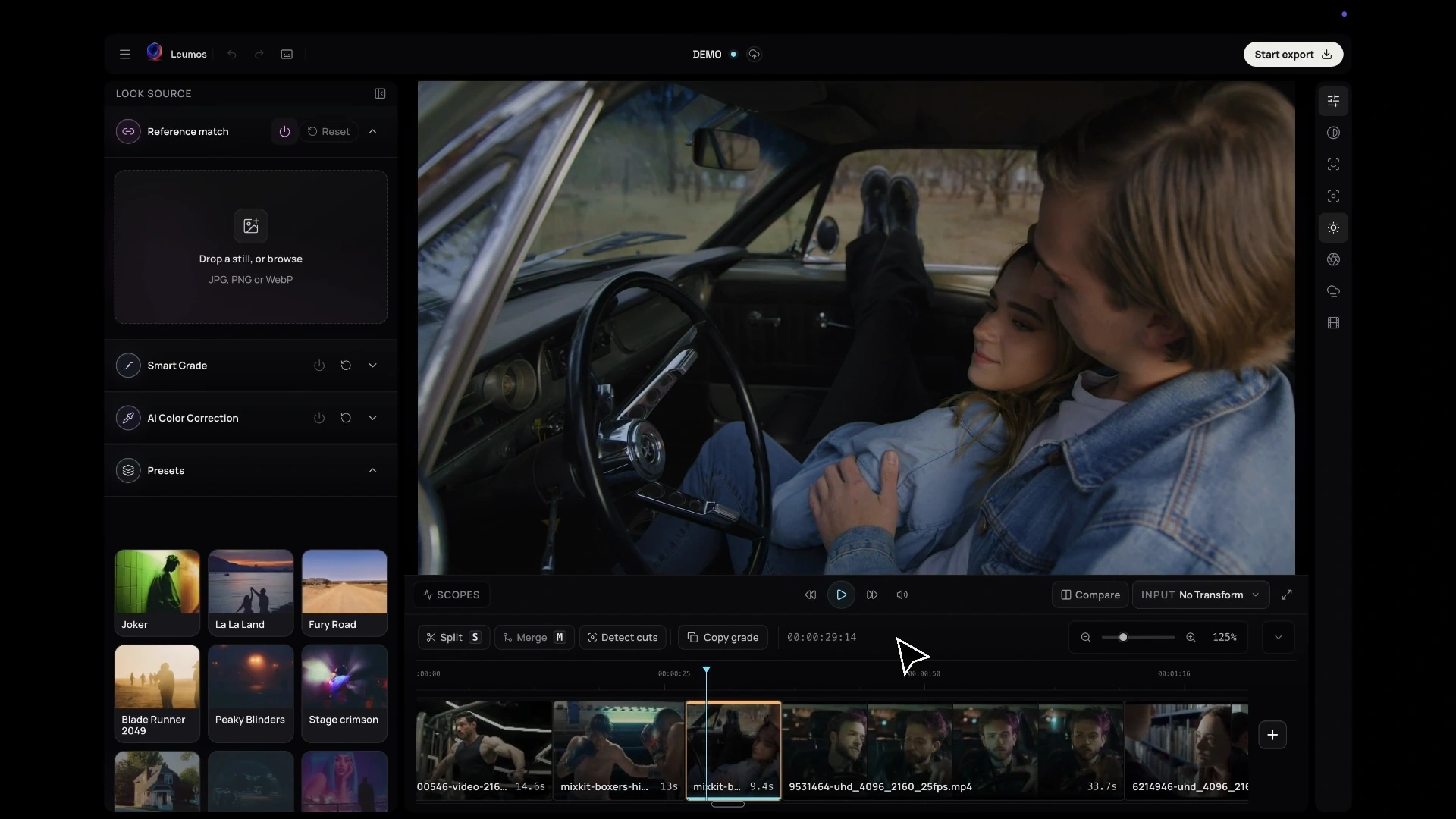
Leumos Studio, from the walkthrough already published on our homepage.
Why Leumos exists
A reference image can explain a mood in a second. Turning that mood into a consistent set of shots usually takes longer: find the right moment, compare the image, make a change, watch it again and decide whether the look still works when the shot moves.
Leumos keeps those decisions close together. You can bring in footage, let the Studio detect cuts, choose a shot and place a reference beside it. The point is not to hide the creative decision. It is to make the comparison clear enough that you can spend your time judging the image.
What you can do in the Studio
Start by exploring a shot against a still reference. Leumos can match a selected shot to that reference so you can evaluate the direction of the look on real material. Review the result in motion, where skin, highlights, movement and changing backgrounds tell you more than a single frame can.
When you want help choosing a direction, Smart Grade can surface a shortlist of possible grades. You stay in control: pick the strength that feels right, then continue shaping the image. AI Color Correction can help establish a balanced starting point, while creative controls let you fine-tune the look instead of accepting a fixed preset.
The finishing tools are there for the details that make a grade feel intentional. Use skin tone controls when people need to remain believable, then add finishing effects with restraint.
Your first shot, in a few steps
- Import a clip into the Studio and run cut detection if it contains multiple shots.
- Select the shot you want to shape.
- Add a reference still and try a match.
- Review the result in motion.
- Use Smart Grade, AI Color Correction and the creative controls to refine the direction.
- Check skin tone and finishing effects before you move on to the next shot.
Reference matching works on the selected shot. Use Match shots to bring the rest of the edit toward a graded shot, then review and refine the sequence. Leumos focuses on grading; keep your editing software for the broader edit and audio work. For a focused guide to the reference workflow, read How to match video to a still.
Start with a real creative decision
Choose a shot from a current project. Bring a reference that captures the feeling you want. Then judge the result on the footage that has to carry the story.
Try Leumos for free and see what your next shot can become.